
Office Offences and Management Misdemeanours: 3 Worst PowerPoint Crimes
Knowing Self-Aware Leadership
Hello KSKOers
I need to share with you my frustration about the world’s worst office offences and management misdemeanours - the PowerPoint crimes. Reports, Scripts and Presenting Backwards. Discover 3 ways to keep yourself from being thrown into professional prison and keep yourself on the right side of presentation law.
Looking forward to having you on my learning journey!

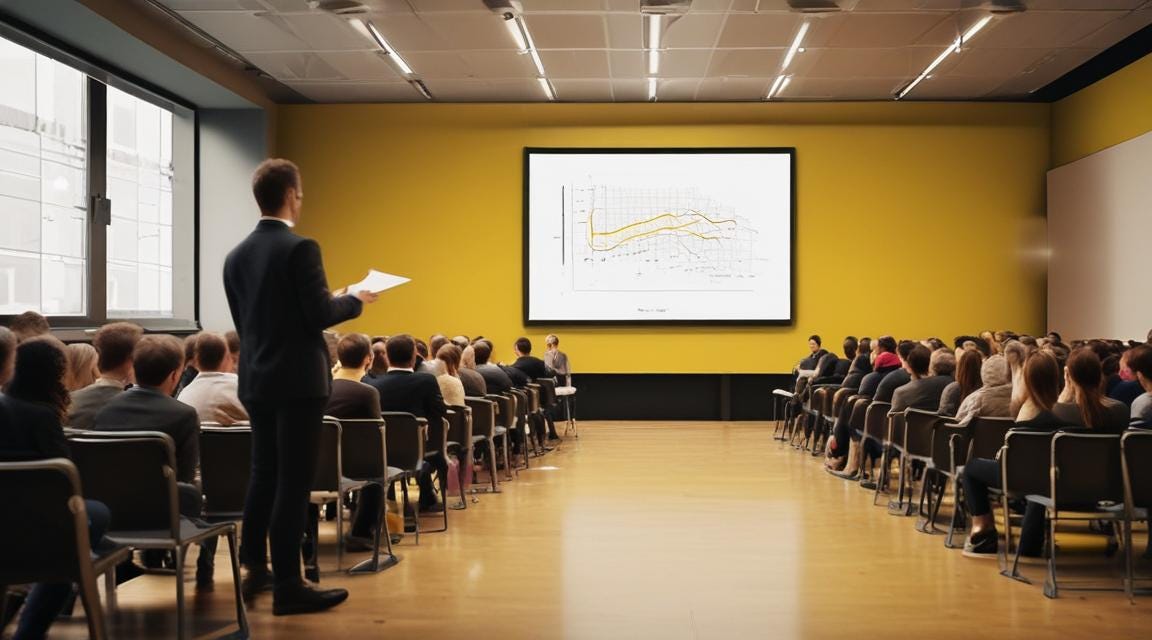
A phenomenon of geography or culture? I’d never seen this until I moved from Wales to England over 6 years ago. It could be totally unrelated to geography and more related to organisational culture of course. But the move and the discovery were peculiarly coincidental.

In Wales, we’d been shifting to a ‘less is more’ approach to PowerPoint. We were taking more of a TED talk approach and using PowerPoint as an aide - to emphasis, excite and exemplify. But 5 and a half years ago all of that changed and I was exposed to a new phenomenon.
What is this phenomenon, I hear you ask?
Well, it’s what I call the Packing-in of PowerPoint
In the last 5 and a half years I’ve worked in 3 very different organisations. I’ve seen countless PowerPoints presented in hundreds of different meetings by people from a myriad of different places. And I can confirm, the phenomenon is alive and well.
Let me tell you about the 3 worst PowerPoint crimes I’ve seen perpetrated during my period of awakening…
Crime 1: Powerpoint Reports
A report is a story of a situation with a beginning, a middle and an end. It often has findings and regularly capitulates with a set of recommendations and a conclusion. A report does not belong on a PowerPoint slide.
But oh, that’s so often where it’s found, isn’t it?
A report is written in prose. But, the packing-in of a prosaic report into a perfectly rectangular slide means a reduction in font size that makes you squint.
The font is so small that it’s illegible up close, without a lot of furious zooming. When it’s projected up on a big screen, it’s equally illegible, because now we’re all 20 meters away!
When the little tiny text is written in lines that stretch from left to right, it also means your eye can’t follow it. When you finish on the right, where do you start again on the left?? It’s like the co-ordination game of tapping your head and rubbing your stomach. Your left index finger follows the line whilst your right hand controls the zoom. The ambidextrous are top of the league in this game!
It also makes editing a logistical nightmare. There’s no automatic moving down of paragraphs when you need to add some narrative above. There’s no auto formatting when additional words extend below the text box. The tools you rely on in Word to ‘actually’ write reports are yearned for. But you’re committed now and 24 slides in, you’ve just got to keep on going. It’s a tedious job of manual labour whilst battling the limitations of your incorrectly chosen tool.
But why?? I have a feeling that it’s linked to beautification or what I like to call ‘brochurification’. There’s a desire to make it look like a polished Fortune 500’s annual report, with colours, photos and graphs. You have to admit, a report in Word is pretty drab and coloured text is a rare find. But PowerPoint has colours and clip art and you can add whooshes and videos….. The temptation of a spinning exit is sometimes too much to resist.
But no, I’m sorry to say - you cannot win by packing-in! Less really is more.
Crime 2: Powerpoint Scripts
That meeting could have been an email. That presentation could have been a paper. That training? I could have read it myself.
PowerPoints scripts are the second biggest crime.
You’ve been to the event where the presenter reads every word. On the slide. In front of them. Haven’t you? By the second bullet point you already know that the next two hours are going to hurt. Two whole hours of your life you can never get back. You could do a whole gym class, have a leisurely shower, and grab a coffee in that time. It’s going to be regurgitated dross, presented by someone who didn’t write the slides. You could honestly read the slides in half the time, yourself.
But why is this happening? Why is the enjoyment of my day being diminished by such bad PowerPoints?? I have a feeling that it’s an attempt to be clear and unambiguous. Written and read information can’t possibly be misheard or misunderstood. If it’s written and read, then the uninitiated presenter who has no idea of the context can’t get it wrong. And when it’s sent out in an email afterward, the person who actually went to the gym can read it whilst drinking said coffee and loose nothing in translation!
No-one wants to read the script when they’ve turned up to watch the show. So let’s stop this misguided script writing! Let’s instead flip the idea. Record the presenter and add subtitles underneath. Think TikTok! Think YouTube Short! Think ‘this century’! Then at least there would be movement and body language to watch instead of dull, lifeless words on a flat, uninspiring slide.
There are thousands of presentations on the web that now, we could just give to an AI bot to read on our behalf. It would cut out the need for an uninspiring presenter altogether! It’s a thought, right?
Crime 3: Presenting Backwards
The third crime falls under the theme of presenting. This crime unmasks the unconfident and strips naked the unprepared. It’s the crime of the backwards presenters who diligently read slides with their backs to the audience.
You’ve seen it done. You’ve done it yourself.
I recall one presenter who spent the whole 10 minute presentation with their back to the audience. The whole thing. Words were lost to the oscillating fan and the whimsy of the direction of the wind. Luckily the whole script was written on the screen, so the audience could simple read what they couldn’t hear. But that’s not really the point is it?
Presenting is about brining to life that which needs to be conveyed. It’s about engaging with the audience, sharing phrases that will become ear worms, stats that can be repeated and anecdotes to make it stick. It’s about captivating the curious and making the anticipated ‘Ohhh’ in awe! It’s about messages that need to be shared.
The usual way of presenting is via a cable to a laptop - in most cases anyway. Provided someone remembered the extension cable, or the sports hall manager has found a spare. and the presenters’ table has been moved to its screeching position of usefulness, it’s game on. The laptop perches on the end of a table to the left or to the right. So, there’s no need to turn around at all! What’s on the laptop in front is what’s going on behind. But still people forget. The ‘oh what’s up there?’ twist would impress even a budding Biles.
The old school way of presenting is with a paper print-out of slides with notes. Typed or handwritten notes can be right there in your hand. They’re perfect comfort blankets for the nervous, and anchors for the gesticulators. If you need a little confidence and a prompt right in your hand, just hit print. There’s usually someone around who knows how to replace the ink and fix the paper jam.
But no! Standing with their back to the crowd and projecting their voice into the void is their yardstick of success. Getting through it without forgetting the words trumps making a memorable impact. ‘I made it!' from the presenter is followed by, ‘What was he talking about’ from the crowd. It doesn’t really matter. Getting through it was the win for today.
3 Recommendations to Stay on the Right Side of Presentation Law
Here are three simple way to make sure you don’t find yourself in professional prison and stay on the right side of presentation law…
1. Keep it Simple: Avoid cramming reports or long text into slides. PowerPoint works best with bullet points, pictures and large, readable text. Use slides to highlight your message, not use them to tell the whole story.
2. Don’t Read Your Slides: Slides are there to support you, not replace you! Speak naturally and use the slides as a guide. Keep your audience engaged by sharing stories or asking questions instead of reading everything from the screen or the slide.
3. Face Your Audience: Always face your audience, not the slides. Use notes or a monitor screen in front of you to stay on track while keeping eye contact. This’ll help you connect better and keep your audience’s attention.
The Last Word
A PowerPoint Crime is non-indictable. It’s neither triable either way. Lucky! Or we’d all be in professional prison. I’m certain we’ve all committed at least one PowerPoint crime in our time. Our poor PowerPoints have meant our messages have fallen on stony ground. Our findings have been missed by those who were checking their inbox. Our recommendations were lost in translation.
The lucky ones will have received constructive feedback and the even-luckier will have learnt from their experiences.
And to those who are new to these managerial crimes, you now have insider knowledge. You can capitalise in conference venues up and down the land. Your slick and catchy presentations will stand by themselves. Should the laptop fail and the projector randomly switch itself off, you can say with confidence and glee, ‘Don’t worry! We can do it without the slides!”.
Nia is an expert leader who talks the talk and walks the walk. She is an academically awarded thought leader in self-aware leadership and practices self-aware leadership every single day in her role as a Director in a Children’s Charity.
Find out more about Self-Aware Leadership by getting your very own copy of The Self-Awareness Superhighway now!


